Markepi app icon

Watermark. Frame. Share.

Your name, logo or signature on every photo and video, frames built from your camera data, and sharing straight to any app. Without cluttering your camera roll.

Free on iPhone and iPad. No account.

1

Watermark.

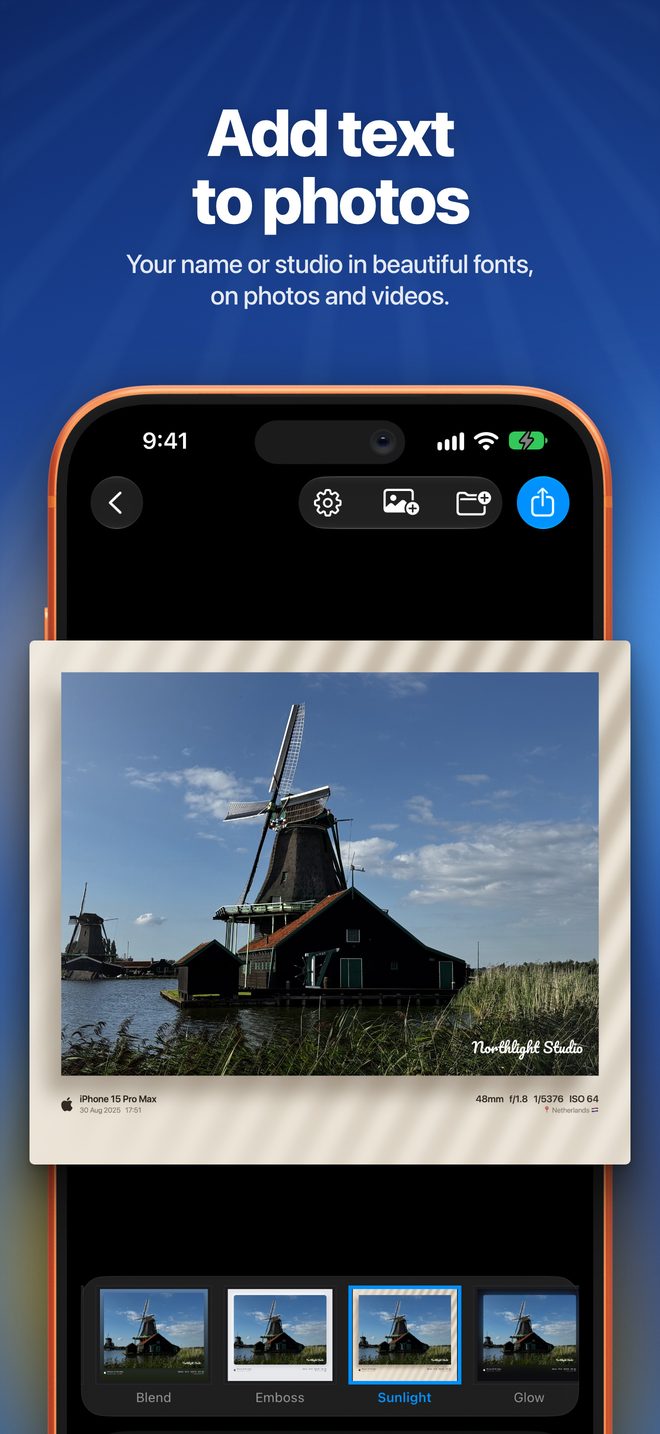
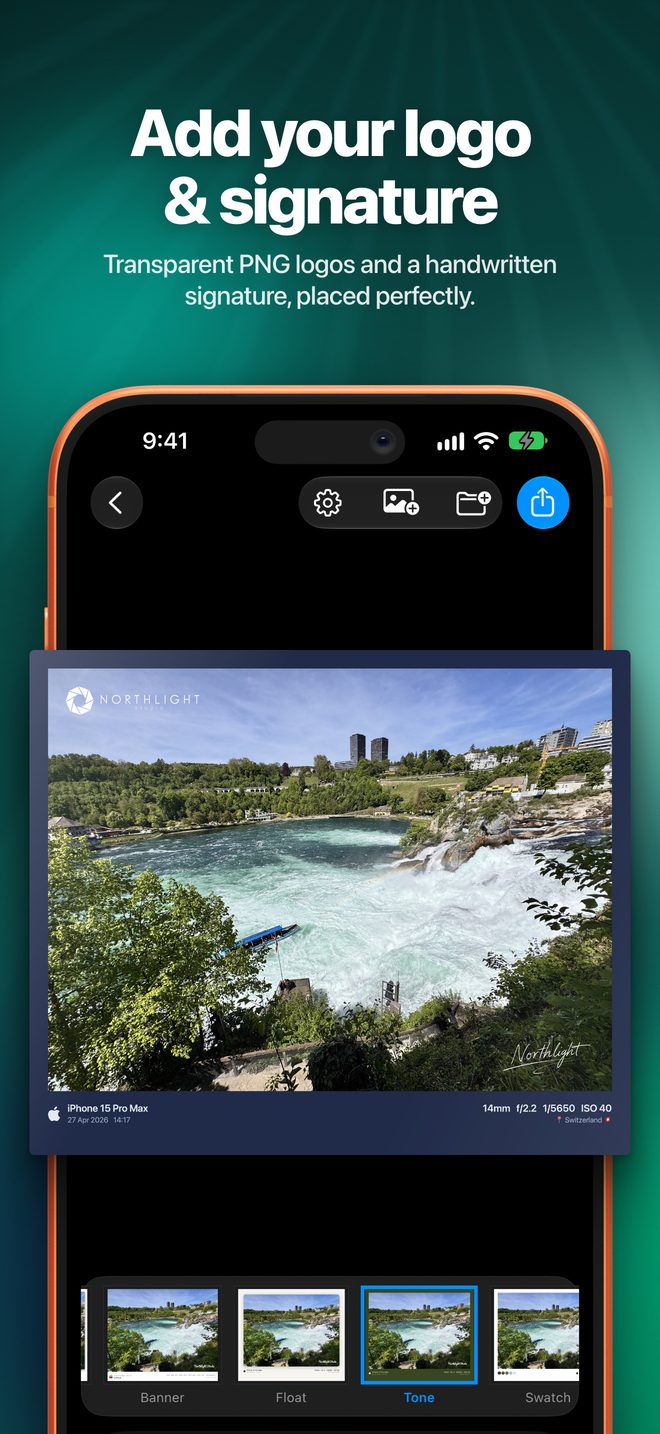
Put your mark on it before it leaves your phone. Type your name, add your logo, or sign it by hand, then drag it exactly where you want it.

  • Text. Your name or studio in a choice of fonts, colours and opacity.
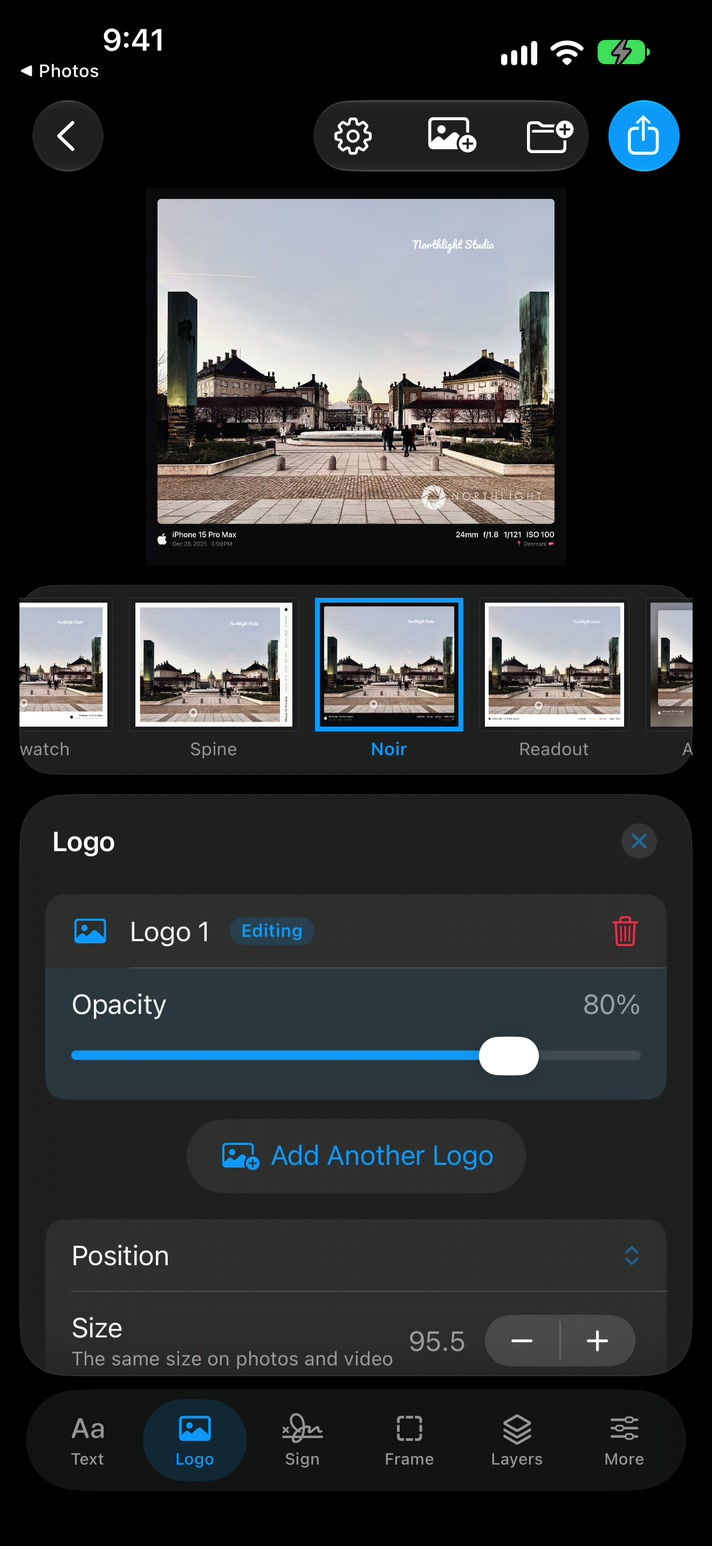
  • Logo. Any transparent PNG, with its own size, position and opacity.
  • Signature. Drawn with your finger, in the colour you pick.
  • Date stamp. A retro film-camera date, if you like the look.
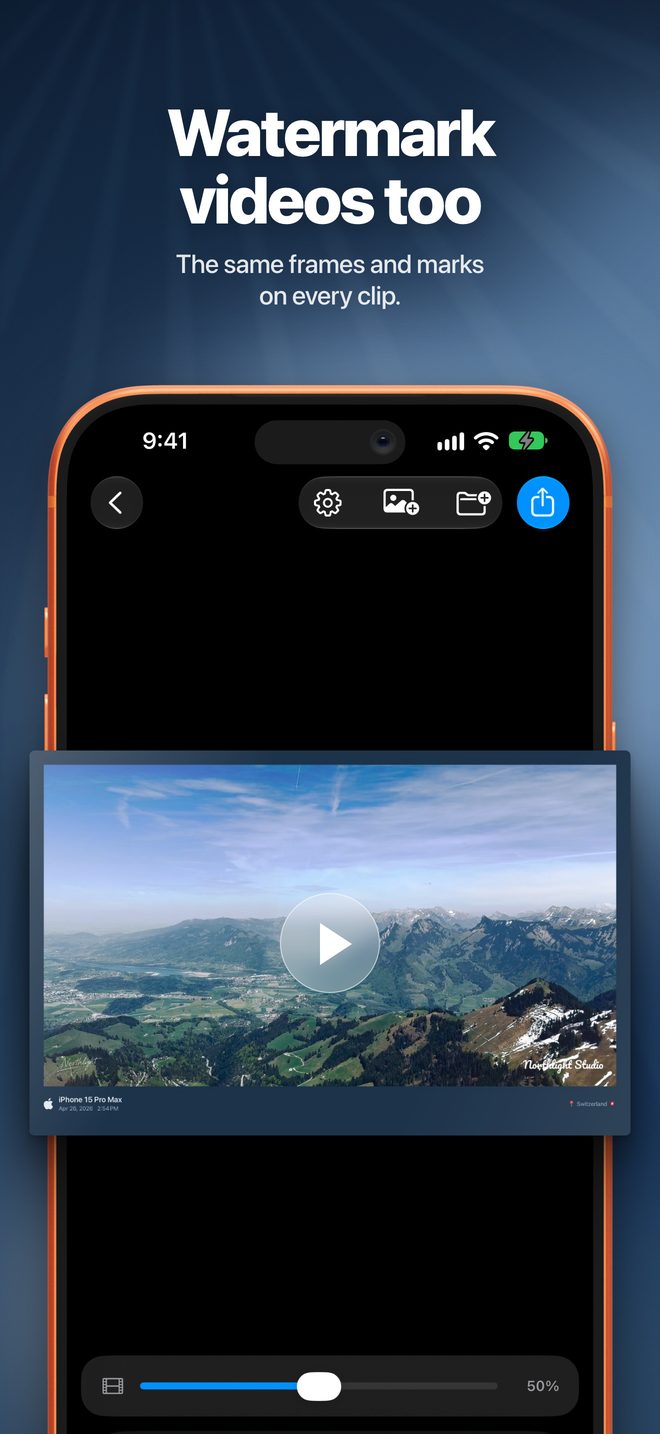
  • Photos, videos and Live Photos. One workflow for all three.
  • Up to 20 at once. One setup for a whole shoot, any single item adjusted on its own. Save setups as templates.
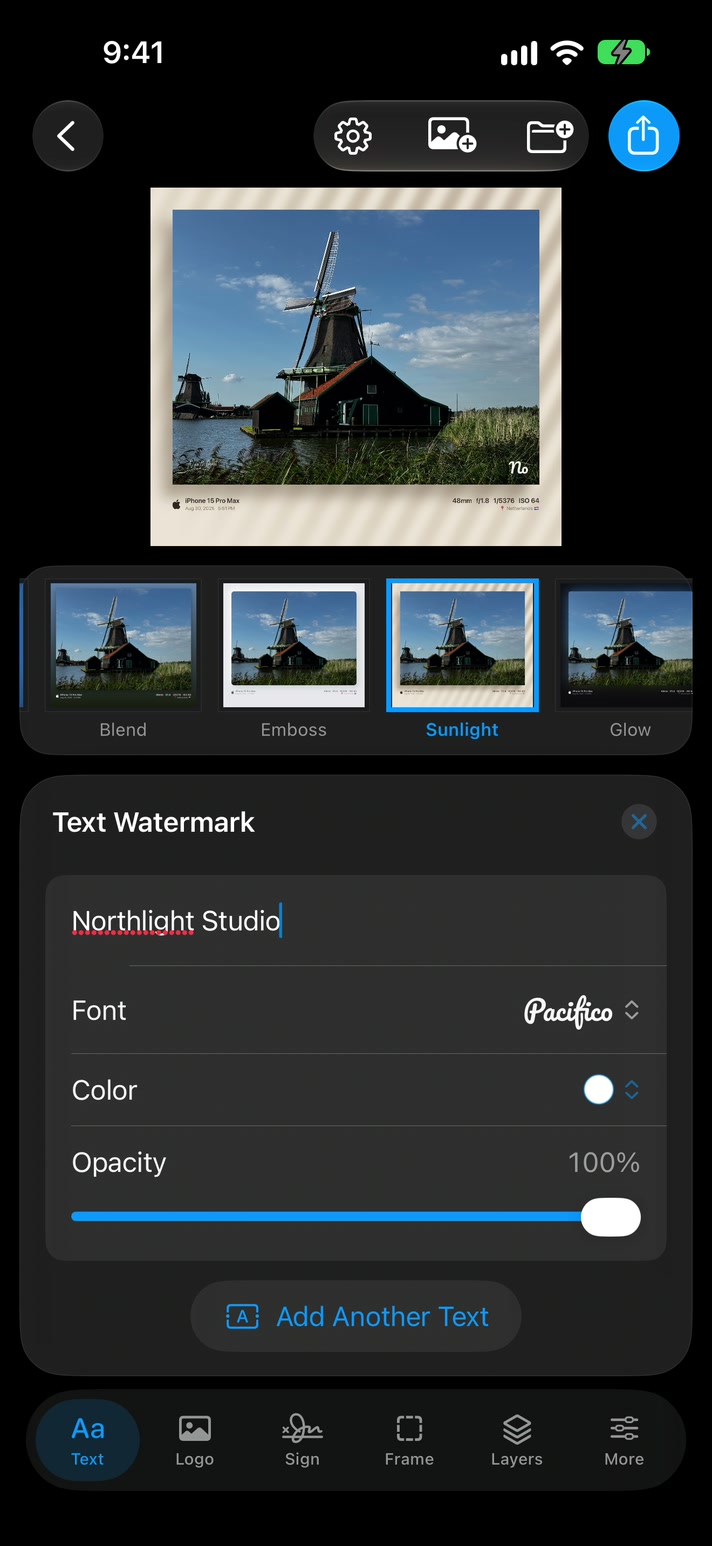
Text watermark panel with the name Northlight Studio in a script font
Logo panel with opacity, position and size controls
2

Frame.

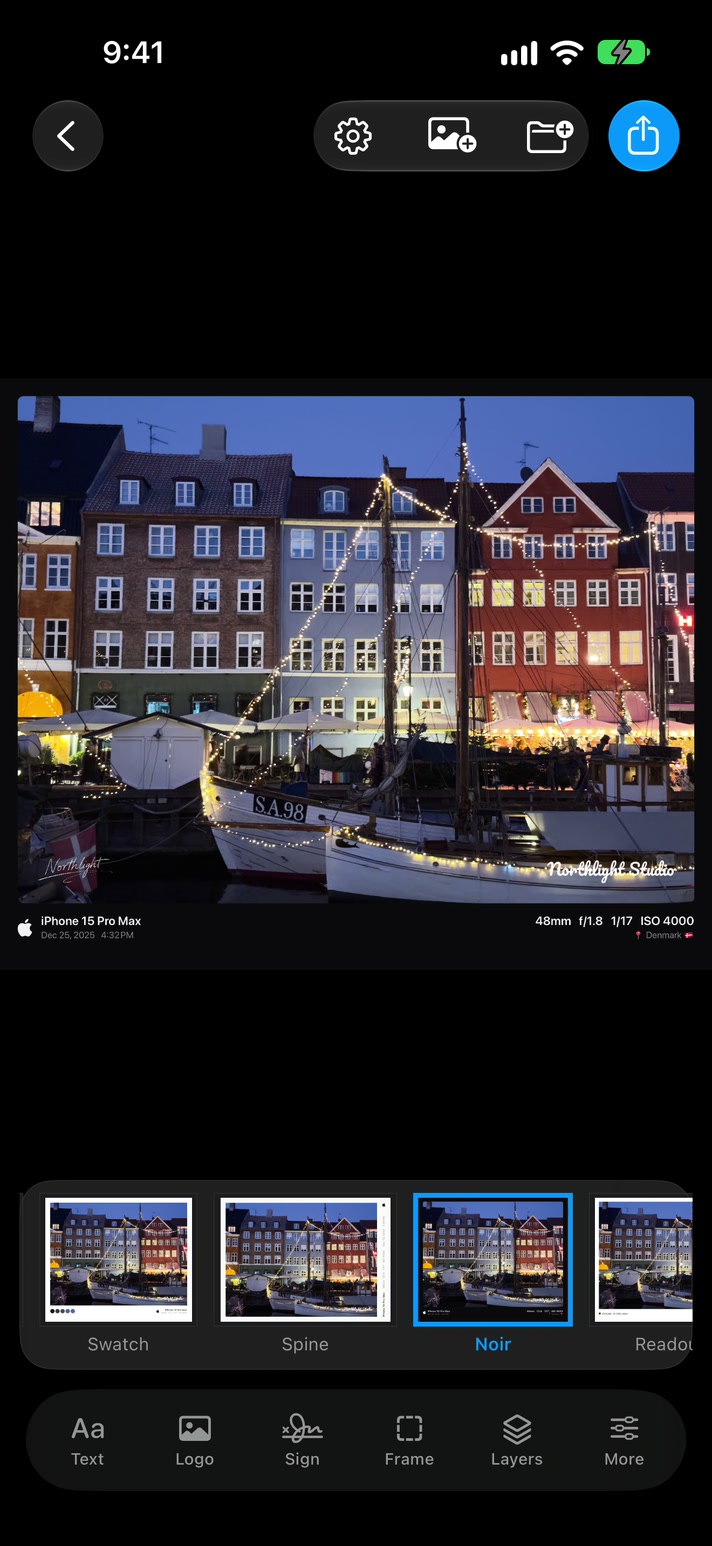
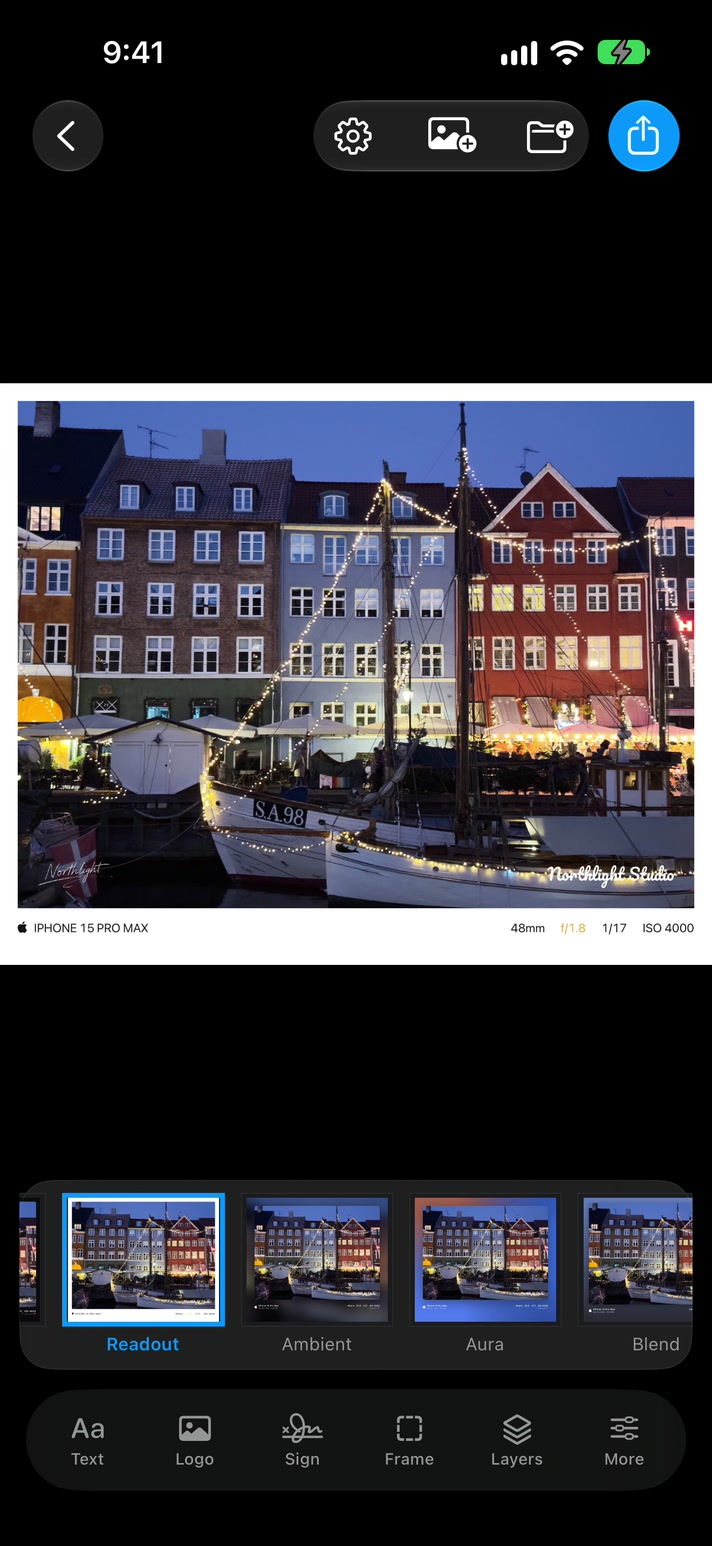
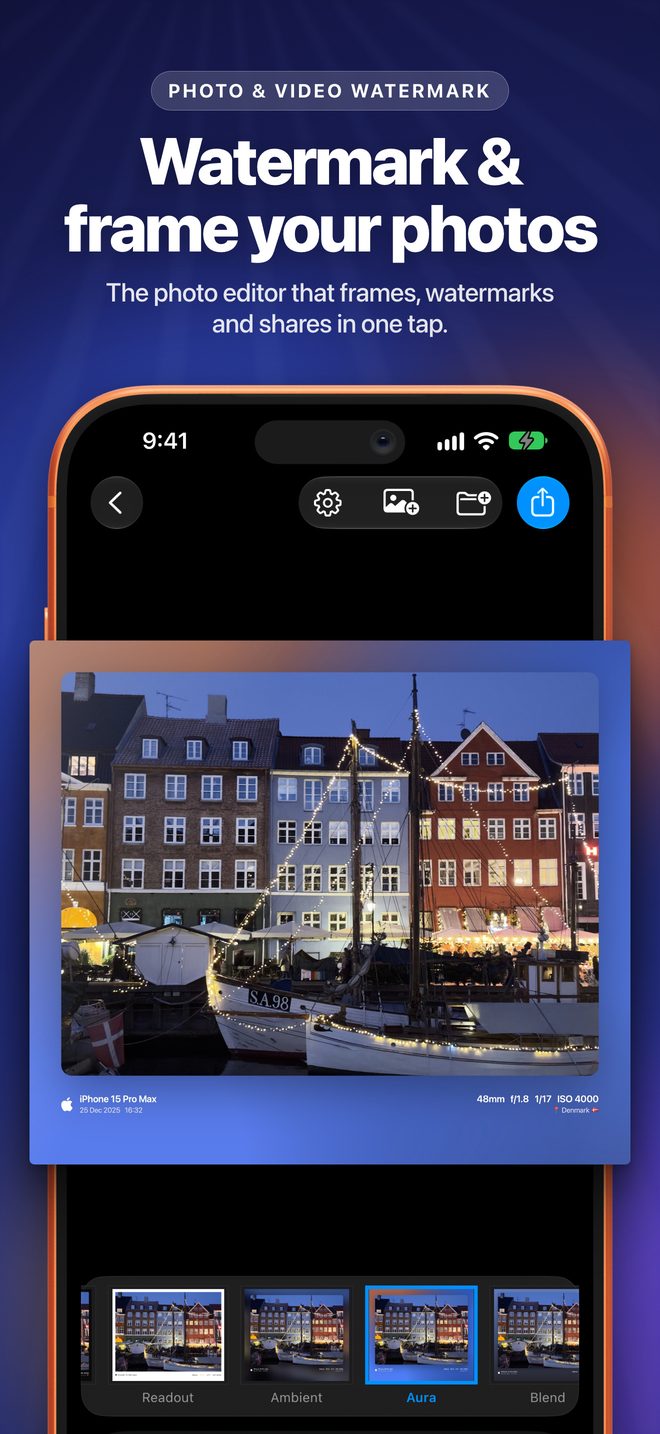
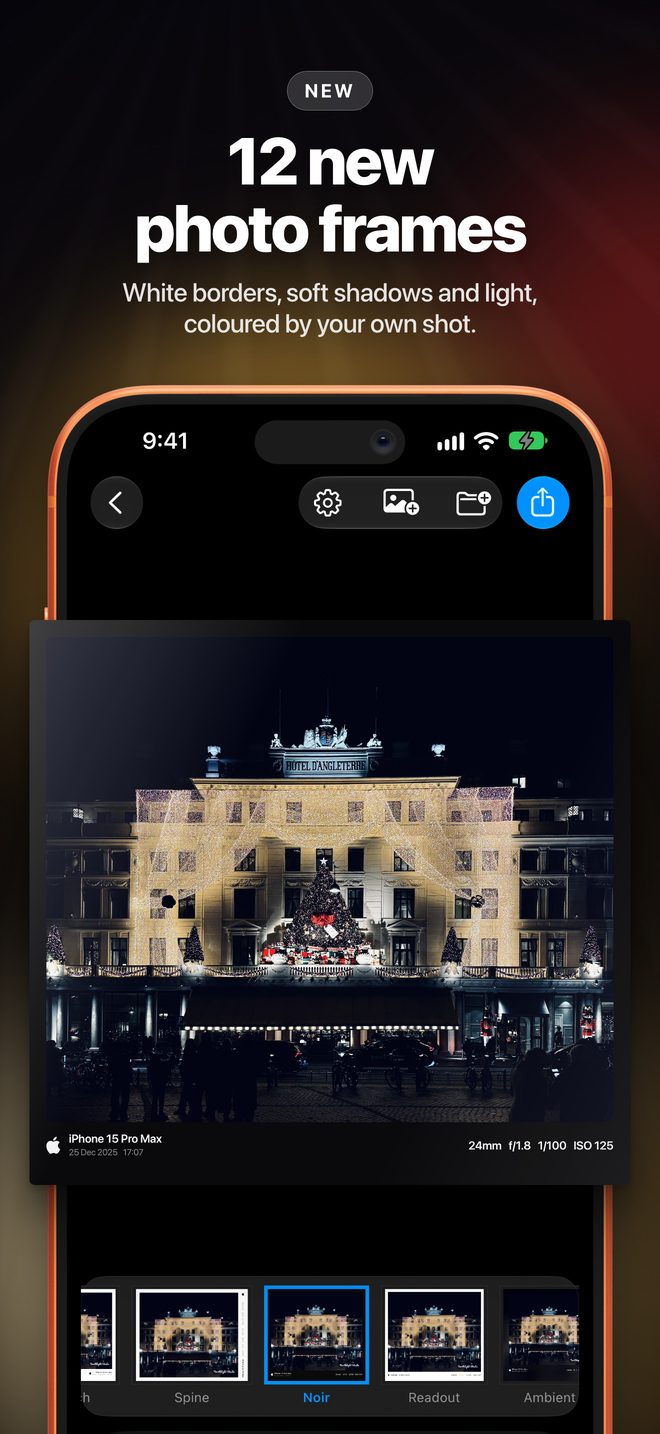
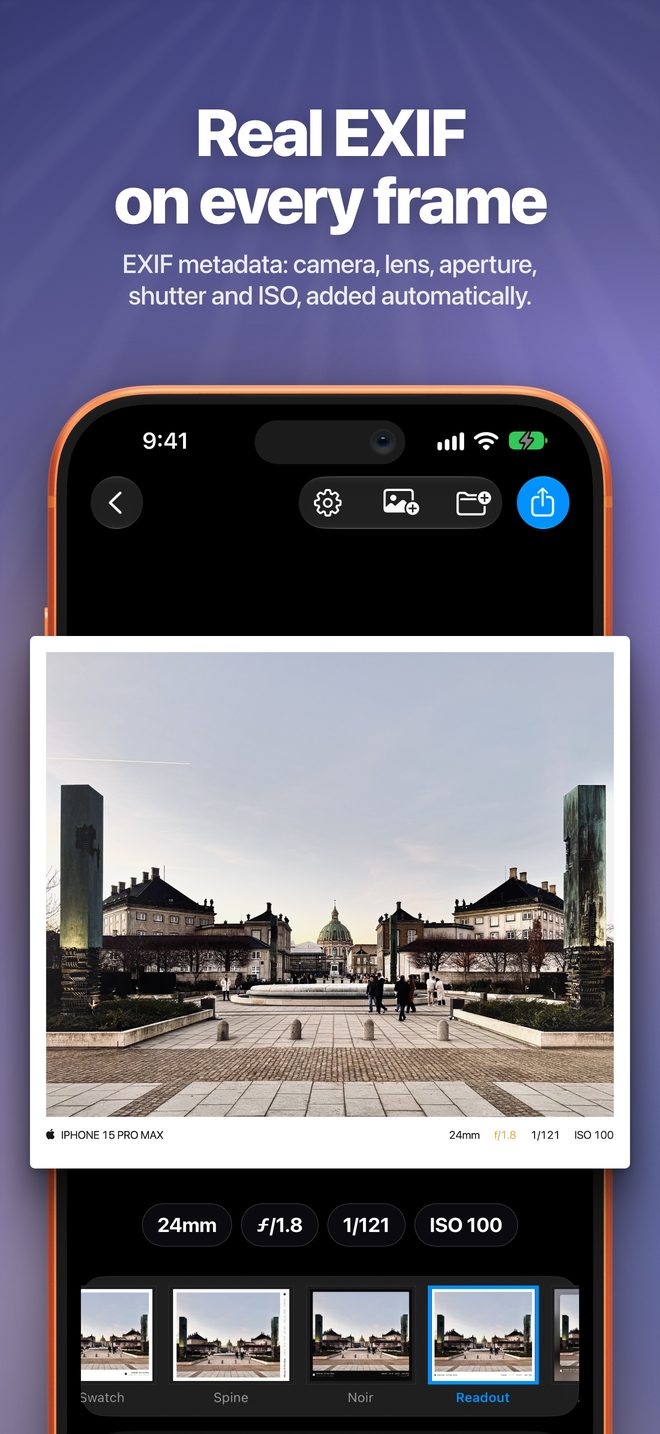
Frames that set your photo off without changing it, with a caption read from the photo itself: camera, lens, aperture, shutter, ISO, date and place.

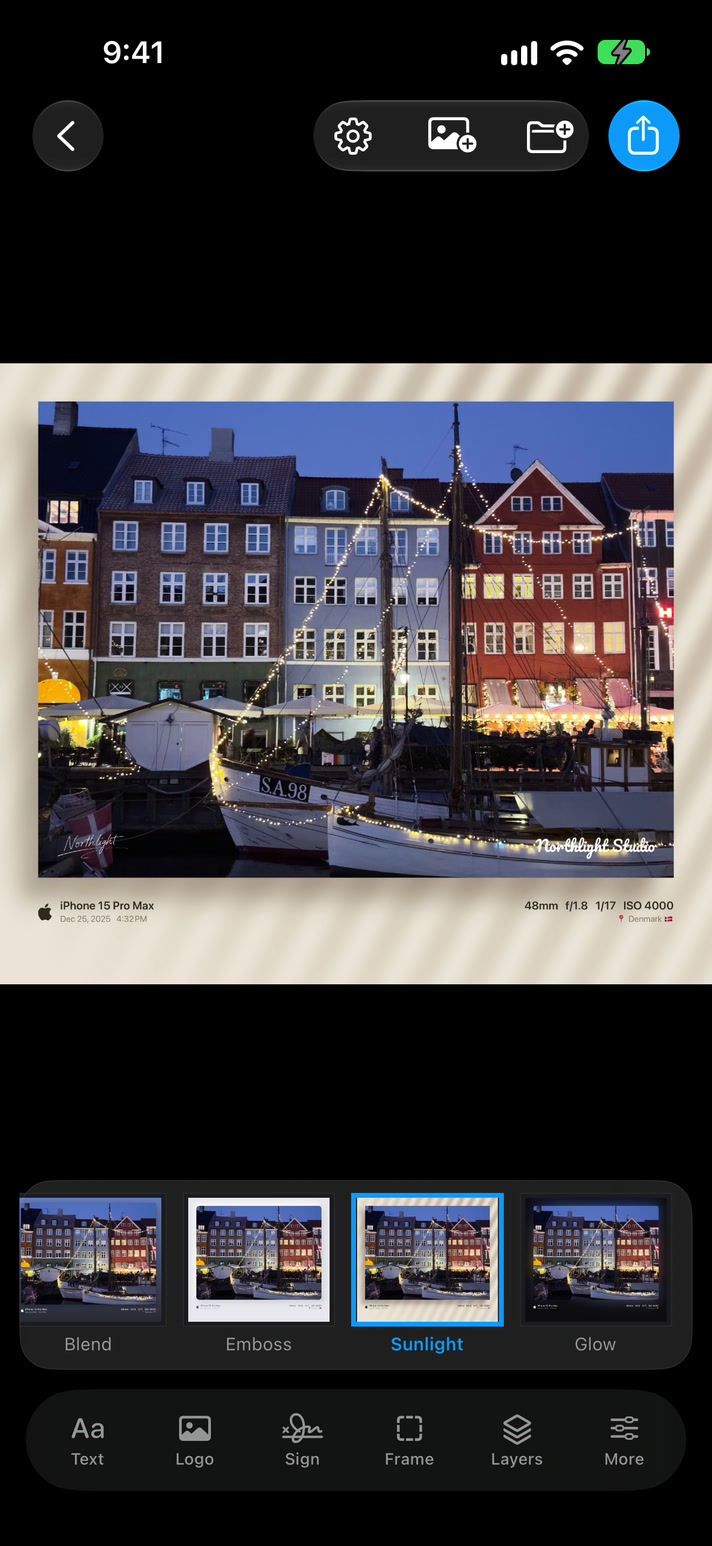
FloatToneSwatchSpineNoirReadoutAmbientAuraBlendEmbossSunlightGlow
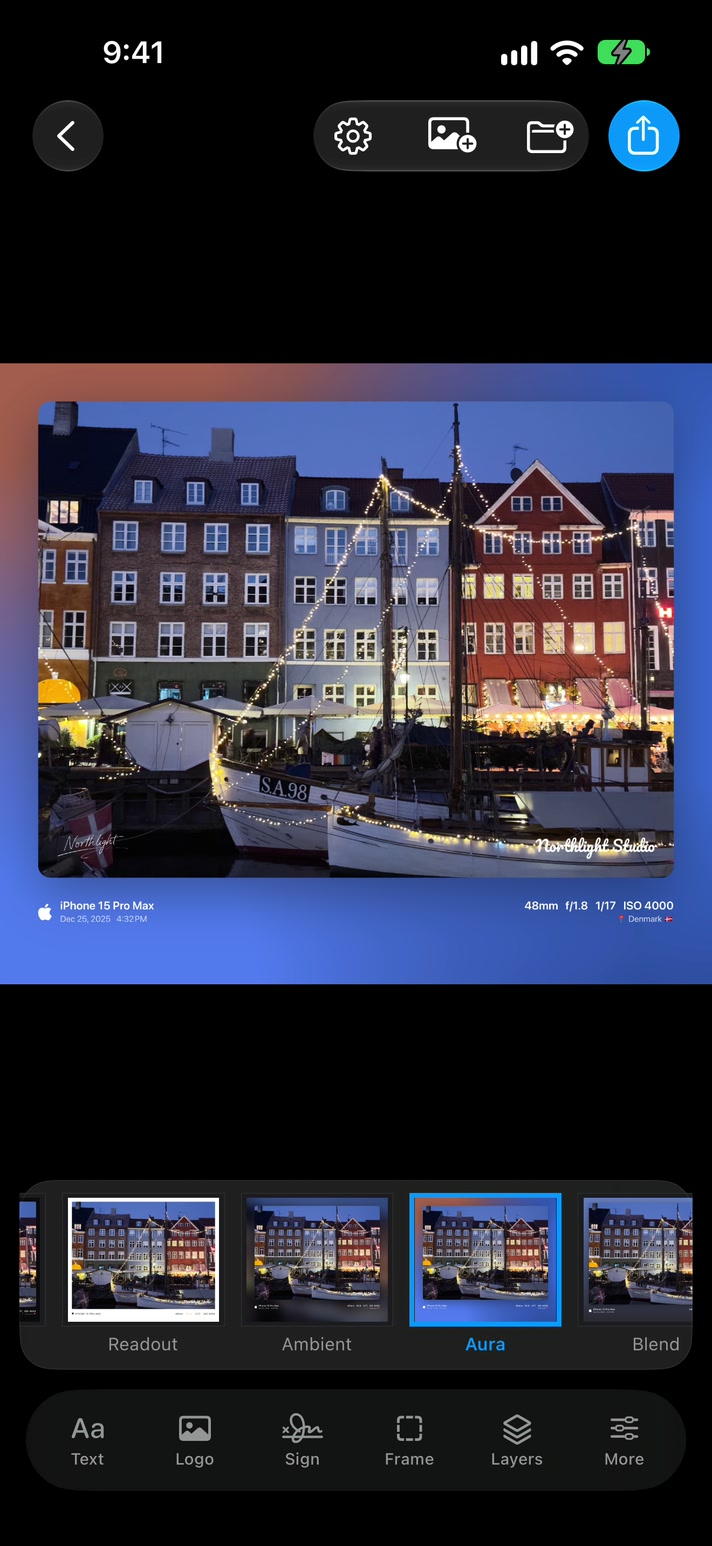
  • Coloured by your shot. Several styles take their colours straight from the picture.
  • Your camera's mark. "Shot on iPhone 17 Pro", with 25 phone and camera brands recognised automatically. Turn it off anytime.
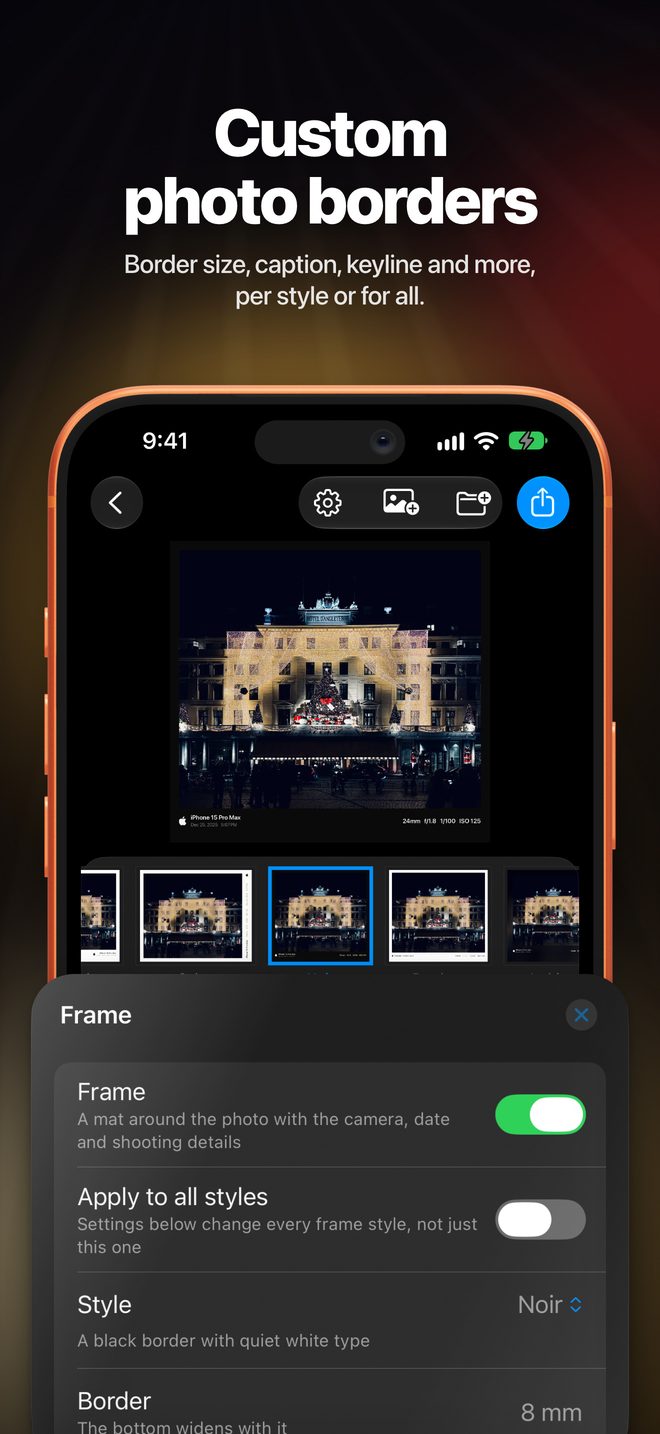
  • Real sizes. Borders and captions set in millimetres, per style or for all.
A harbour photo in the Noir frame The same photo in the Aura frame, coloured from the photo The same photo in the Sunlight frame The same photo in the Readout frame with camera settings
3

Share.

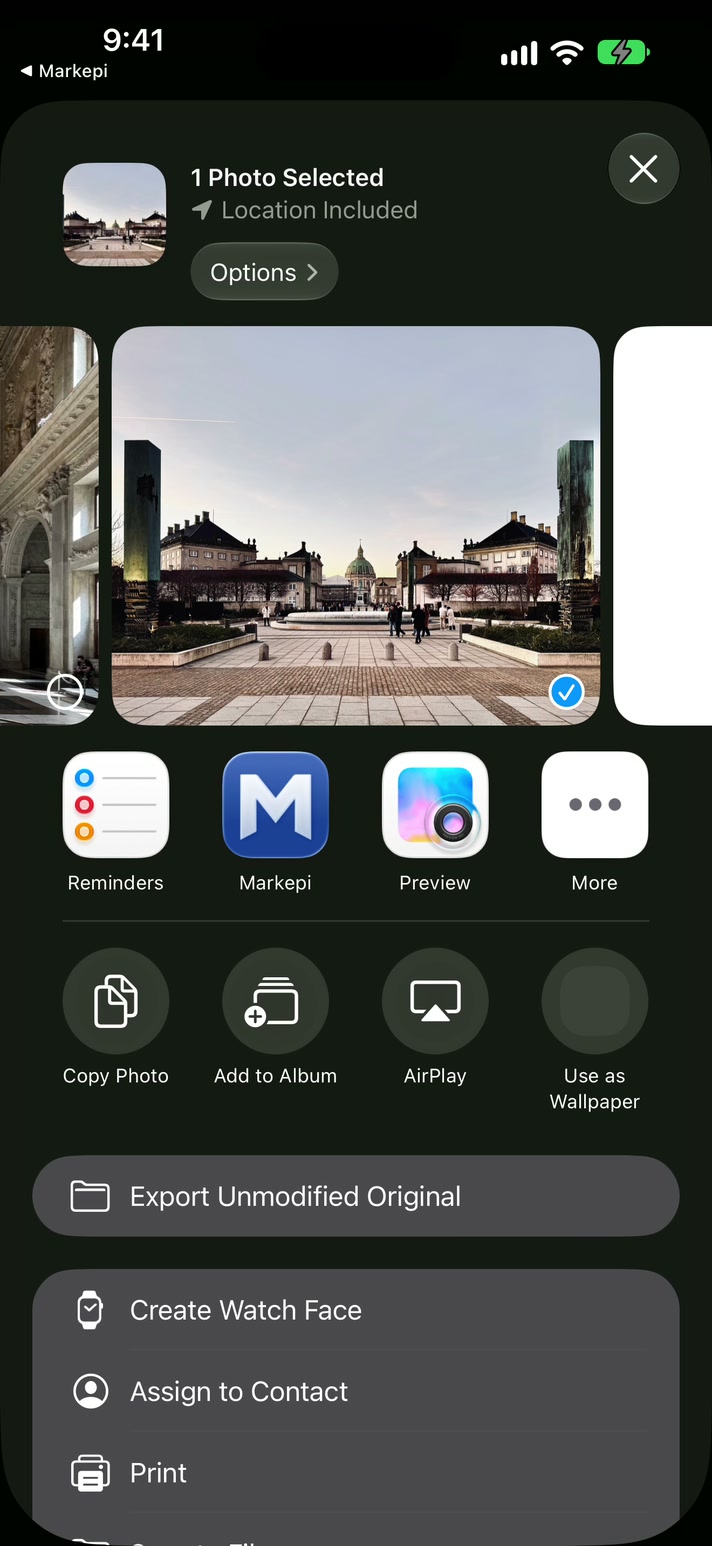
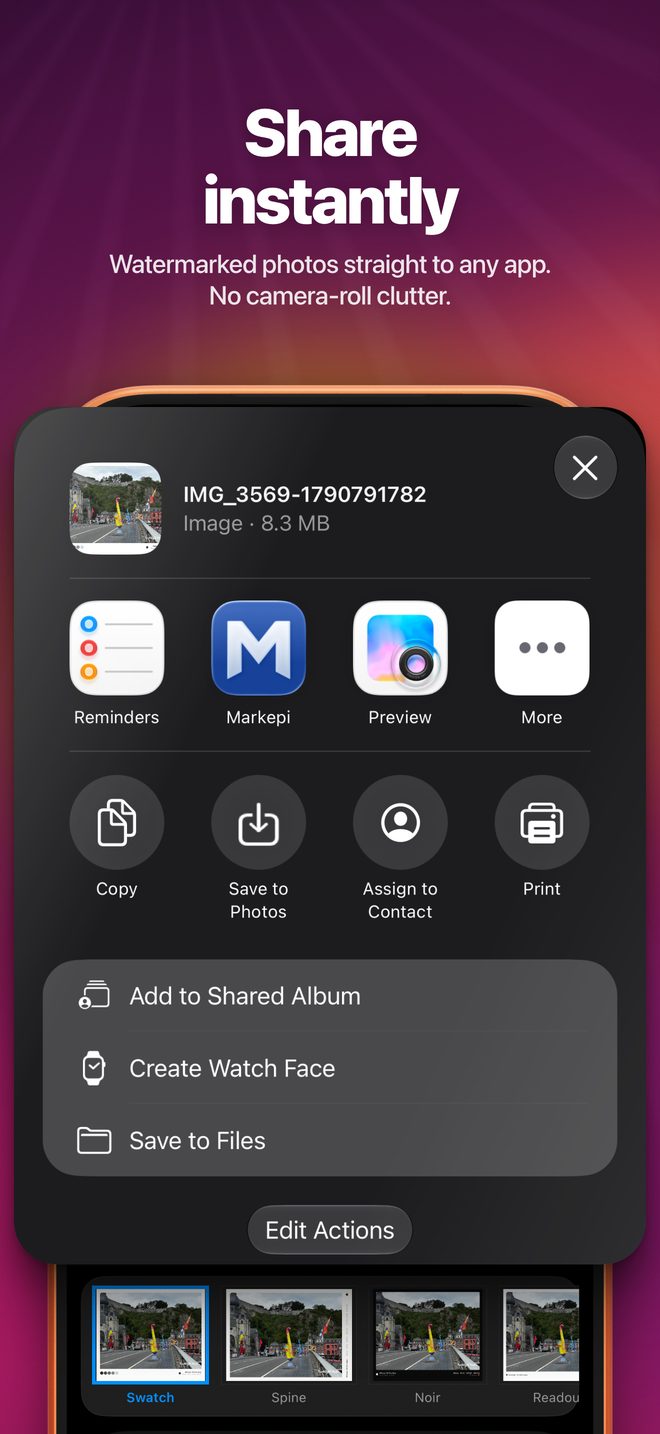
Watermark and share in one go. Markepi hands the finished file straight to any app and never writes to your photo library unless you tap Save.

  • No camera-roll clutter. No duplicate copies piling up.
  • Share in from anywhere. Send photos and videos to Markepi from Photos, Safari or any app.
  • Share out to anything. Messages, Mail, AirDrop, Files and your social apps.
The Photos share sheet with Markepi among the apps
4

Sign what's yours.

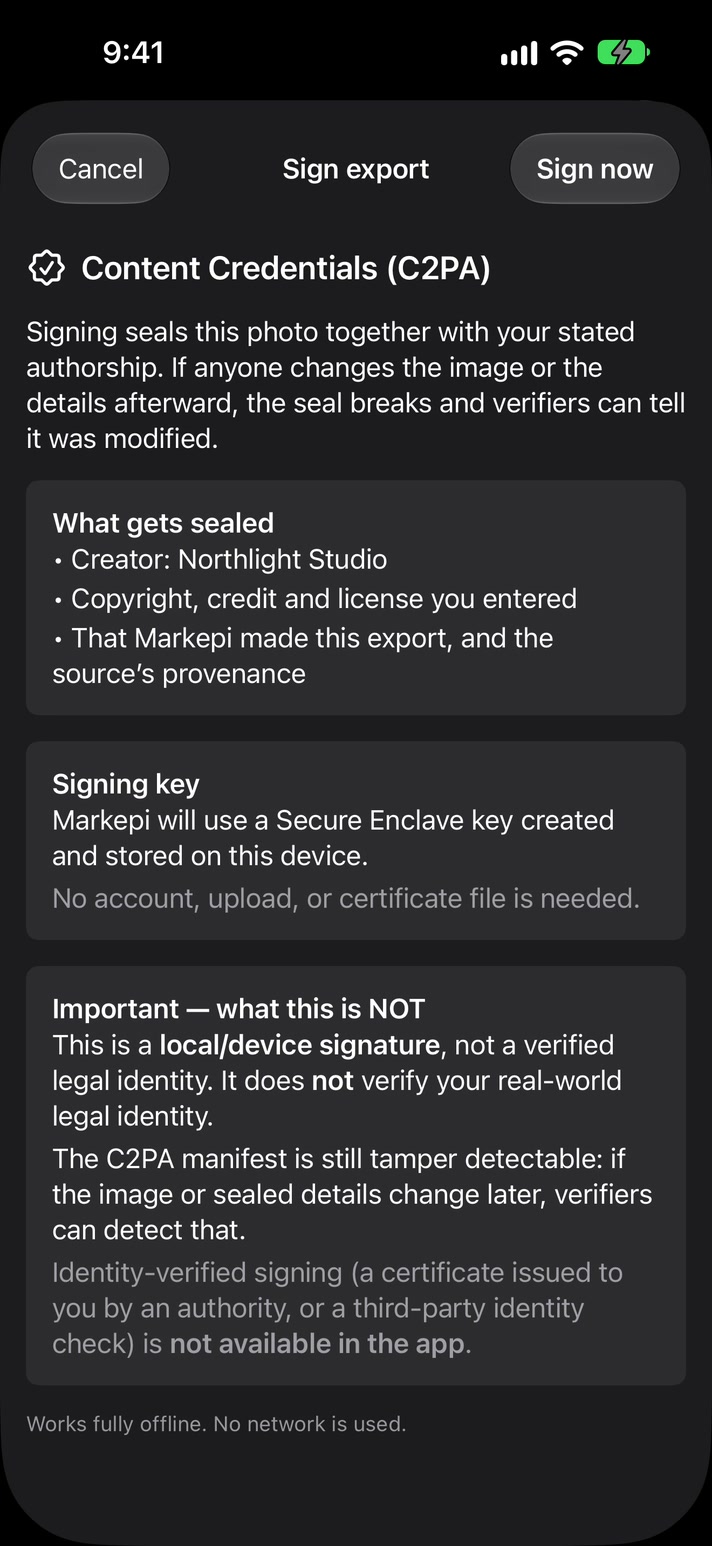
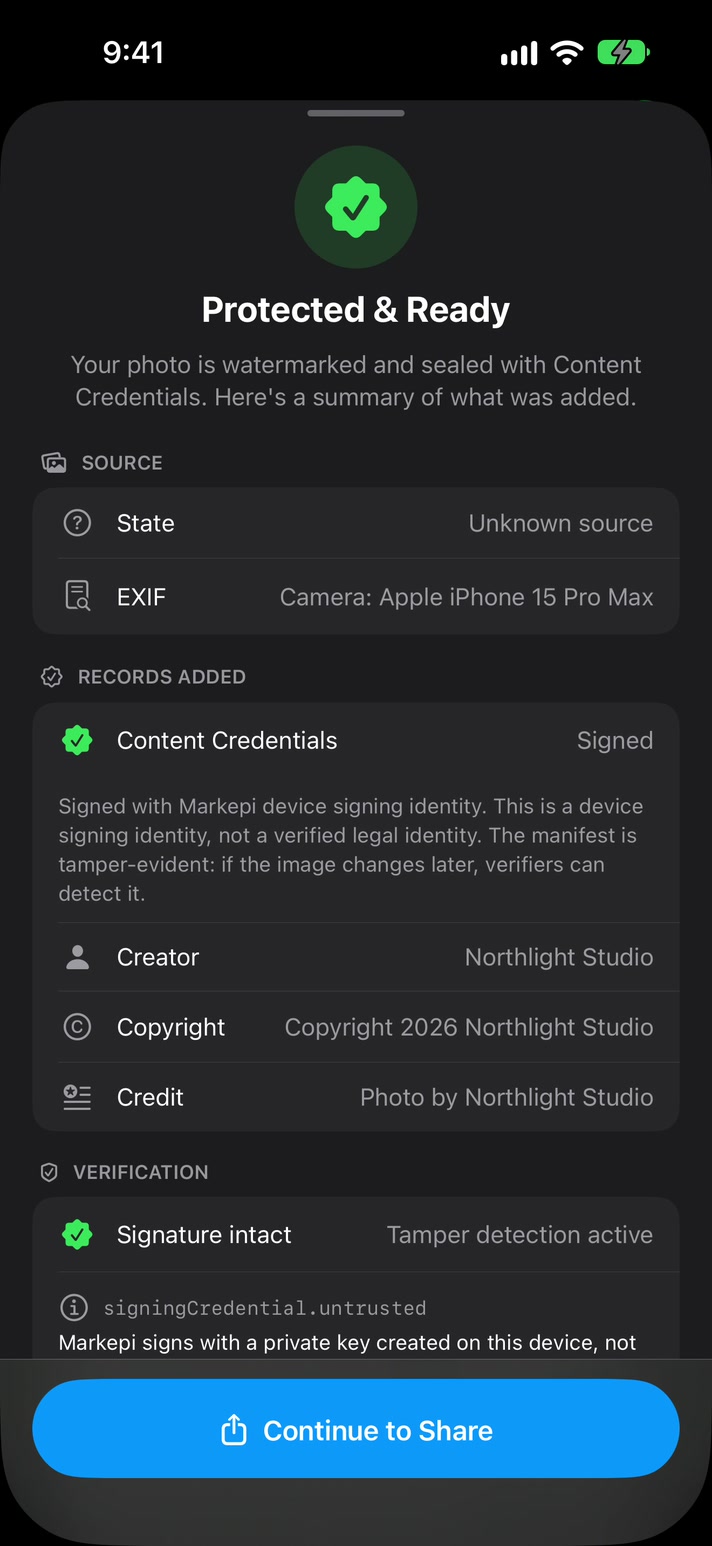
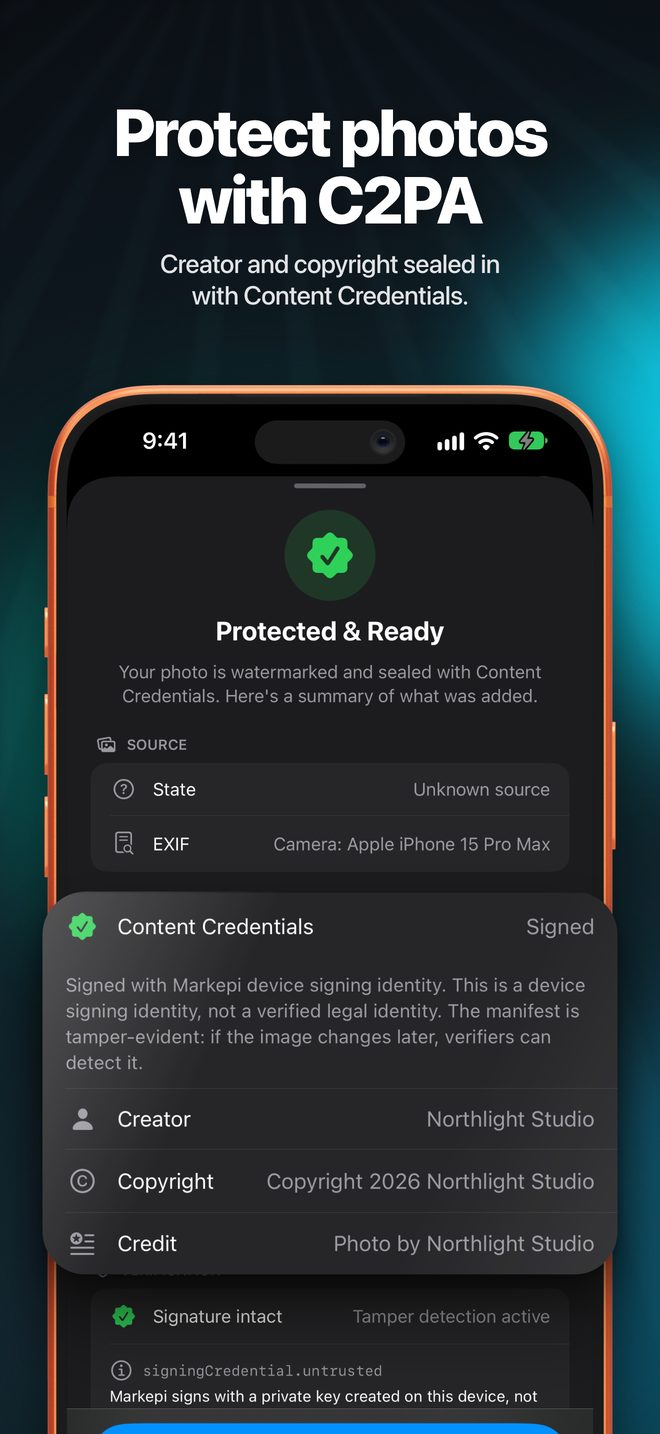
Seal a photo with Content Credentials, the open C2PA standard. Your name and copyright travel inside the file, and if the photo is changed after you signed it, verifiers can tell.

Free, for photosIncluded with or without Pro. Video signing is on the roadmap.
Signed on your deviceA key created on your iPhone, in the Secure Enclave where available. No upload, no certificate.
Honest about what it provesVerifiers show a self-declared signer, not a verified legal identity.
Check it anywhereFree tools like contentcredentials.org/verify. Some apps strip credentials when they re-encode uploads.
Sign export sheet explaining what Content Credentials seal
Protected and Ready summary listing creator, copyright and an intact signature

Everything kept.

Metadata

GPS, date, device and colour profiles stay on every export.

Your call what to share

Keep all, remove GPS & device, or go minimal, before you export.

HDR

Pro exports keep HDR on photos and videos, at full resolution.

Videos and Live Photos

The same marks and frames, with every audio track kept.

On device, offline

No account, no server, no analytics. Nothing is uploaded.

iPhone and iPad

iOS 18 or later. Privacy ›

How it works.

Recorded in the app, start to finish. Step by step in the how-to guide.

  1. Bring in a photo or video.Pick from your library or Files at the top of the screen, or share it to Markepi from Photos or any other app.
  2. Add your mark.Text, Logo or Sign in the bottom bar. Drag it into place and set its size and opacity.
  3. Choose a frame.Swipe the style strip. The caption fills in from the photo's own camera data.
  4. Seal it, if you want.Turn on Content Credentials & rights under More, add your name and copyright, and sign.
  5. Share.Tap the share button and pick any app. Nothing lands in your camera roll unless you choose Save.

Take a closer look.

Know what it's for.

Great at

  • Putting your name, logo or signature on photos and videos before you post
  • Camera-data frames for photo dumps and portfolios
  • Sharing without filling your camera roll with copies
  • Branding a whole shoot at once, up to 20 items
  • A signed, checkable record of creator and copyright on photos

Not made for

  • Removing other people's watermarks
  • Invisible watermarks that survive cropping and editing
  • Content Credentials on videos, for now
  • Proving legal identity: the signer is self-declared
  • Android or the web

Questions.

What does Markepi do?

Markepi puts your name, logo or hand-drawn signature on photos and videos, adds frames built from the photo's own camera data, and shares the result straight to any app. Nothing is saved to your camera roll unless you choose Save.

Does Markepi save copies to my camera roll?

No. Markepi exports to a temporary file and hands it to the share sheet. It only writes to your photo library when you tap Save.

Is Markepi free?

Yes, with unlimited exports. Free exports are sized for social sharing (up to 2048 px for photos, 1080p for videos), in standard dynamic range, with a small Markepi mark placed clear of your own text and logos. Markepi Pro exports at full resolution, keeps HDR and has no Markepi mark. Content Credentials are included on both.

Does Markepi keep my photo's metadata?

Yes. Exports keep colour profiles and metadata such as GPS, date and device. If you would rather not share some of it, choose Remove GPS & device, or Minimal, before you export.

Does it work with videos?

Yes. Videos and Live Photos get the same watermarks and frames as photos. Content Credentials are currently for photos only.

What are Content Credentials?

A signed record embedded in a photo, based on the open C2PA standard. Anyone can inspect it with free tools such as contentcredentials.org/verify, and if the photo is changed after signing, verification shows it. Markepi signs with an identity created on your device, so verifiers show it as a self-declared signer, not a verified legal identity.

Do Content Credentials survive social media?

Not always. They stay attached when the file is transferred byte for byte, for example over AirDrop or saved to Files. Some services re-encode images on upload, which can strip them.

Does Markepi upload my photos?

No. Everything is processed on your iPhone or iPad. There is no account, no server and no analytics, and it works offline.

Can I watermark many photos at once?

Yes. Load up to 20 photos and videos, apply one setup to all of them, and adjust any single one on its own. Save setups you use often as templates.

Which devices does Markepi run on?

iPhone and iPad with iOS 18 or iPadOS 18 or later.

Make it yours, then share it.